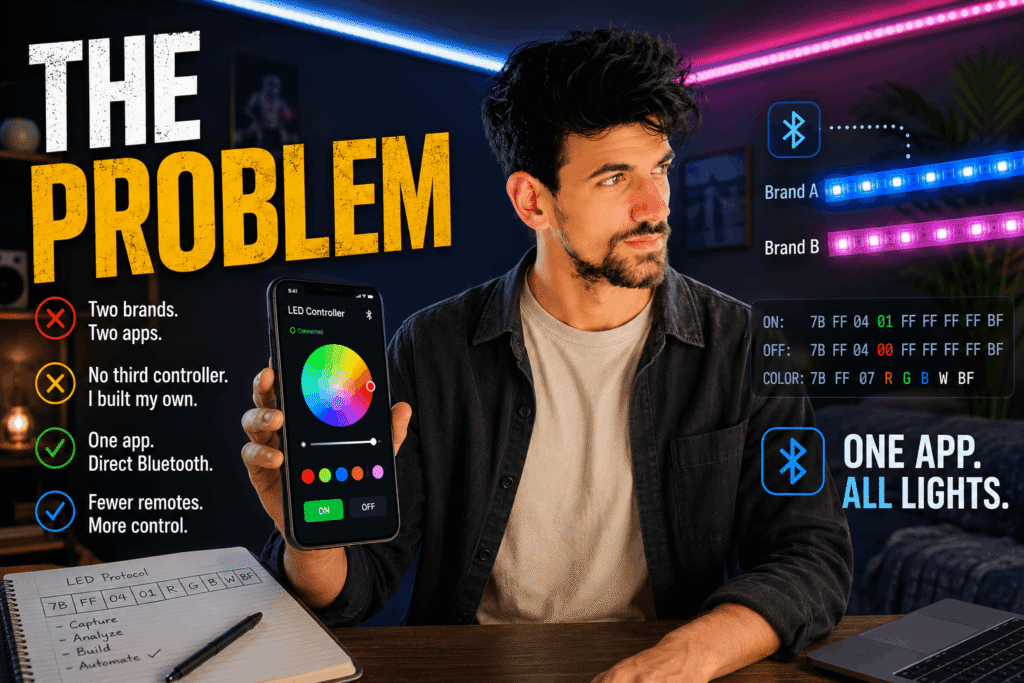
How I Reverse-Engineered My Own LED Strips Over Bluetooth
The Problem
I had LED strips in my room, from two different brands, each with its own remote and its own app. Every time I wanted to change a color, I had to remember which app went with which strip.
I didn’t want a third controller. I wanted one app, built by me, that just talked to the lights directly over Bluetooth.
⸻
Finding the Door In
Using LightBlue and later nRF Connect, I found the first strip advertising itself as LEDDMX-03-2D9A, with a writable Bluetooth characteristic at FFE0 / FFE1. Reading it back gave me 68656C6C6F00 — the word “hello.” Bluetooth was working. I just didn’t know its language yet.
I tried random hex values, hoping to get lucky. Nothing. This wasn’t a universal protocol — it was this controller’s own private dialect.
⸻
Catching It Talking
So instead of guessing, I listened. I enabled Bluetooth HCI snoop logging on my phone, ran the official app, and pressed ON, then OFF, then ON again — and captured every byte it actually sent.
ON:  7B FF 04 01 FF FF FF FF BF
OFF: 7B FF 04 00 FF FF FF FF BF
One digit apart. 01 for on, 00 for off. I confirmed it by hand in nRF Connect — the light obeyed instantly — then built it into my own Android app. No manufacturer app required anymore.
⸻
Wanting More Than On/Off
Two commands wasn’t a light controller, though — I wanted real color. I extended the pattern I’d found into a guess: 7B FF 04 [state] [R] [G] [B] [W] BF, and built a screen to test each guess by hand.
It worked, but typing hex for every new light was never going to scale. So I taught the app to test itself: connect once, and it tries the pattern automatically — ON first, then each color — asking only “did it change?” Yes or no. Only confirmed colors get saved. I also cleaned up the scanner, which used to list my phone and laptop right alongside the actual lights.
⸻
The Second Light, and a Twist
The second strip ran a protocol I’d never seen, so I researched the real apps behind these cheap controllers and taught my app to try several known families automatically, not just my own.
Then, capturing the second light’s real traffic directly, I found something I’d gotten wrong: the color command wasn’t the same action byte as power. It was a totally separate instruction — action 07, not 04. And once I tested it for real, colors came out swapped — red showed green, cyan showed purple — every symptom pointing to one bug: the controller reads its bytes as green-red-blue, not red-green-blue. Reordered them, and every color landed exactly right.
⸻
Where It Stands
The app doesn’t just remember two commands anymore — point it at a compatible light, and it figures out what that light can do by itself. No manufacturer app. No cloud server, no tracking, no ads — just my phone talking directly to whatever light I point it at.
Two remotes became one app. And it’s still only getting started.
The next blog will cover how I built the first app and how it directly addressed real-life problems.